Fix the text in your AI-generated image
Keep the image you like and replace the words that are wrong. Correct the selection, enter the intended spelling, and check the font and repaired background.
Original image
Downloaded result

Drop an image to edit its text
or paste from clipboard (Ctrl/⌘ + V)
JPG, PNG or WebP · original-resolution export · up to 32 megapixels
Local recognition keeps your image in this browser. Cloud options are available below.
Try a sample:
Recognition settings & projects
Local recognition is selected. You can change the method below.
Best for clear, straight text, up to 20 megapixels. Recognition files download on first use; your image stays in this browser.
Projects stay in this browser. Default local recognition keeps your image here; choosing cloud recognition or AI background repair sends images for processing.
Original image
Downloaded result
Correct the spelling, then check the fit
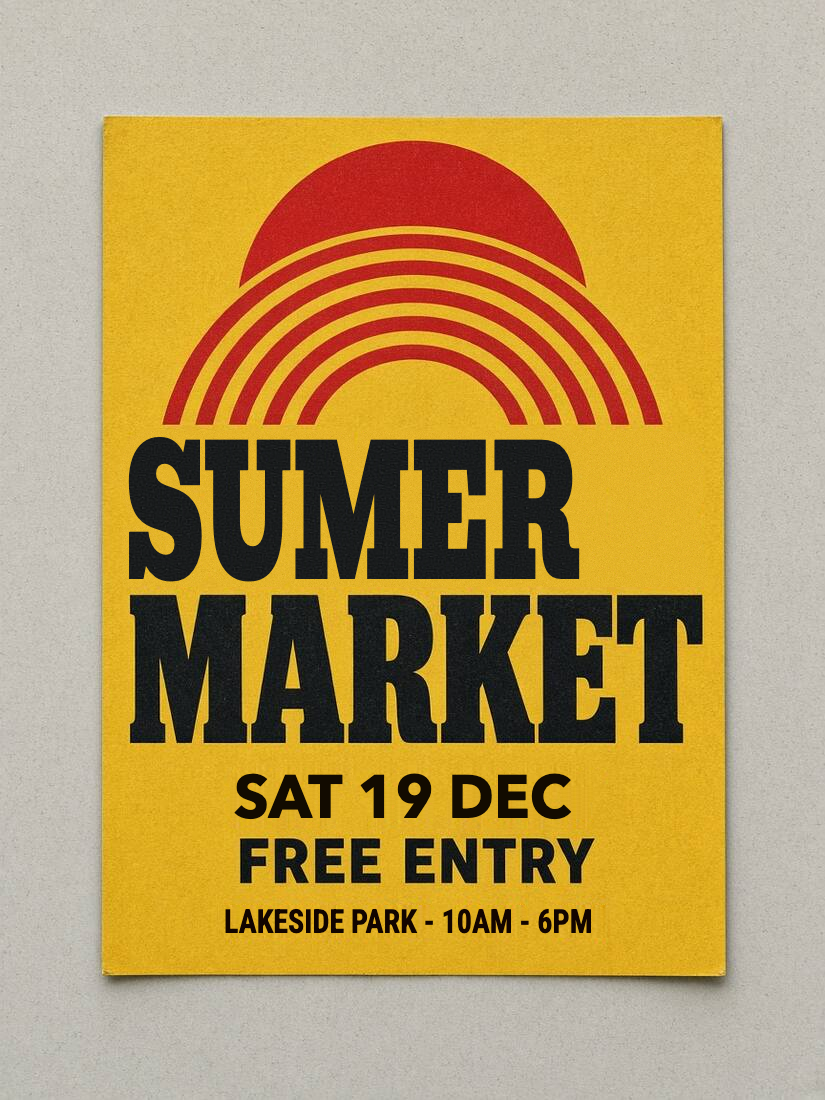
This prepared poster contains SUMER. It was uploaded to the editor, recognized locally, changed to SUMMER and downloaded as PNG. Use the same selection and replacement controls for text errors in your own images.
Inspect the edited area at 100% · scroll to compare
Original image
Downloaded result
Separate a typo from an OCR mistake
Compare the selected text with the image. If only recognition is wrong, correct the original text field. To change the visible letters, enter the intended wording in the replacement field.
Select the whole broken word
Garbled letters may not be detected. Draw a box that includes the complete word and any visible shadow, while keeping neighbouring text outside it.
Read the correction in the download
Check every letter, the new width and the repaired background. Adding a missing letter can shrink the word to fit; adjust the layout if the result becomes too small.
This controlled example uses clear, flat lettering. It does not demonstrate recovery of invented glyphs, hand-painted strokes or 3D effects. Those cases may need manual selection, a new font and cloud background repair.
How to do it
- 1
Upload the AI image. Detected text is outlined; draw a box around any garbled or missed lettering.
- 2
Click the wrong line and type what it should say. Draw a box if the letters are too broken to detect.
- 3
Preview your wording and style locally. Choose Repair background if prompted, then export PNG or JPG at the original image dimensions within supported limits. Inspect the repaired area before sharing.
Not for IDs, bank cards, receipts, certificates or payment screenshots. Acceptable use
Work through a real example
Frequently asked
Edit the text. Make it yours.
Start editing locally for free. Includes 3 standard cloud background repairs per day, with no account needed.