Canva Grab Text free alternative: edit text in a flattened image
Looking for a free alternative to Canva Grab Text? Edit baked-in text in posters, screenshots and photos in your browser, match the font and export with no watermark.
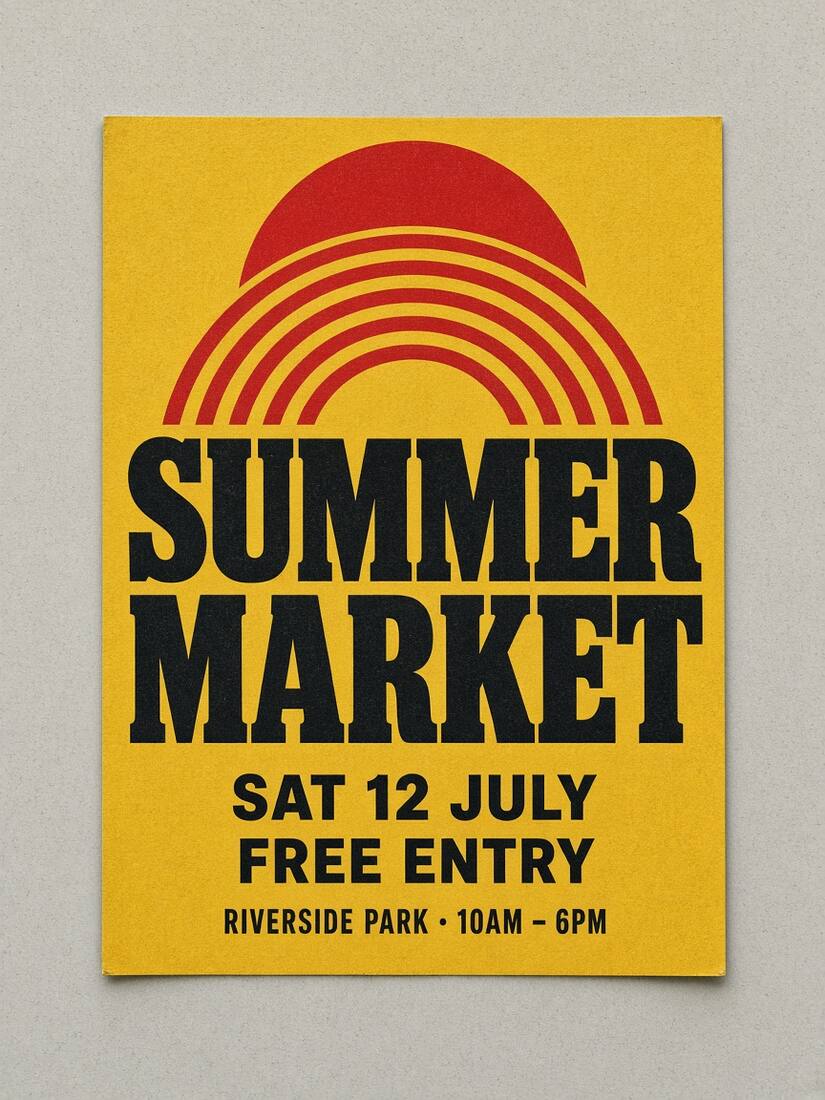
Canva's Grab Text (part of Magic Studio) lets you lift baked-in text out of an uploaded photo or flattened graphic and turn it into an editable text box. However, Grab Text requires a paid Canva Pro, Teams or Education subscription, and extracting all text at once can sometimes shift untouched lines or alter the background behind neighboring elements.
If you only need to change one or two lines in an exported JPG, PNG or WebP—without a paid subscription or importing the asset into a full slide deck—you can use TwinFont's free online image text editor.
How TwinFont differs from Canva Grab Text
| Feature | Canva Grab Text | TwinFont |
|---|---|---|
| Price to start | Requires Canva Pro subscription | Free local editing + 1 lifetime guest trial & 3 welcome credits on sign-up |
| Selection control | Lifts detected text across the image | Edit only the specific text line you select; untouched pixels outside the box never change |
| Font matching | You browse Canva's font list manually | Automatically ranks 40+ free Google Fonts and device fonts by visual letter-shape similarity |
| Custom font files | Upload requires Canva Pro Brand Kit | Load your own .ttf, .otf, .woff or .woff2 file locally for free |
| Export | Exports through Canva's canvas size | Original size (up to 32 MP) for local edits or credit packs; 720px preview for free cloud repairs |
How to edit text in an exported Canva poster or image for free
Often someone sends you a finished PNG or JPG exported from Canva (or another design tool) after the editable link was lost. Here is how to update the wording cleanly:
- Upload the image to the poster text editor or replace text in image tool.
- Select only the line that needs changing—for example, the event date, price or headline. Leave the rest of the poster unselected so its original pixels stay intact.
- Compare font candidates. Many Canva templates use open-source Google Fonts such as Montserrat, Poppins, Oswald, League Spartan, Bebas Neue, Playfair Display, Lora, Anton or Caveat—all of which are built directly into TwinFont's comparison library.
- Repair the background behind the old words if the text sits on a photo or textured illustration, then fine-tune letter spacing and baseline alignment.
- Download PNG at the original resolution with no watermark.
Tip: matching popular Canva fonts
If your original graphic came from a Canva template, check these common matches in the TwinFont font library:
- Bold geometric headings: try Montserrat, Poppins, League Spartan or Outfit (see fonts similar to Gotham and Futura alternatives).
- Tall condensed poster titles: try Bebas Neue, Anton, Oswald or Barlow Condensed (see Impact alternatives and DIN alternatives).
- Editorial serif titles: try Playfair Display, DM Serif Display, Libre Baskerville or Cormorant Garamond (see Bodoni alternatives).
- Script and handwritten accents: try Dancing Script, Great Vibes, Pacifico or Caveat.
Want to check the font before editing? Upload a crop to the free font finder to compare candidates side by side with your original lettering.